Ok, Over the weekend Ell gave me some amazing tips that I think should be in here incase anyone else has questions how to upload clothes to sinespace.
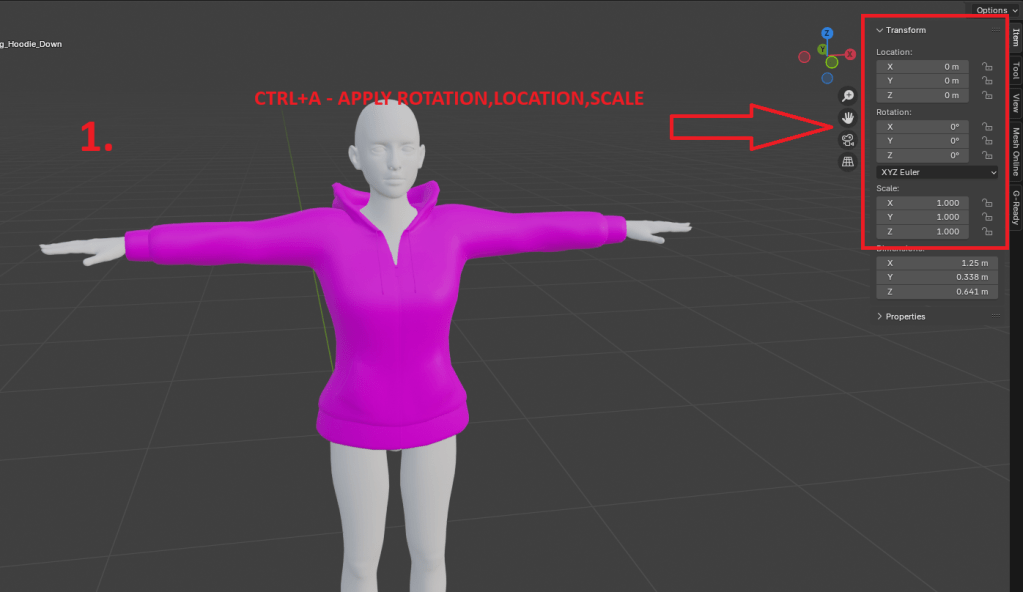
1.1.Put hoodie on the body so it fits, then hit CTRL+A and apply location, scale, rotation/do not apply “all transformations” option/ so it apply at 0,0,0 as shown on right side panel
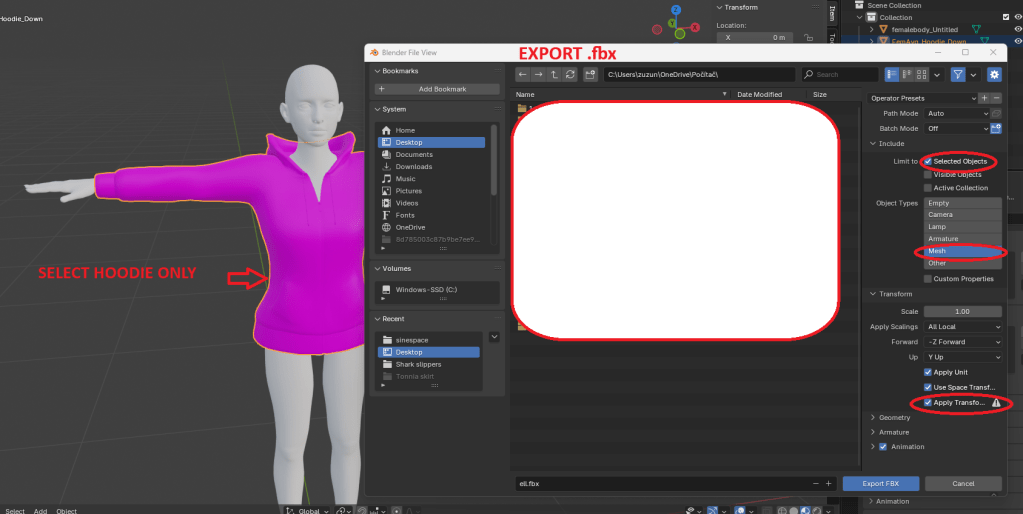
2.Click on hoodie, then Export as .fbx and selcet settings as I highlighted
3.Import hoodie into Unity, drag and drop into Hierarchy panel and you should see this :
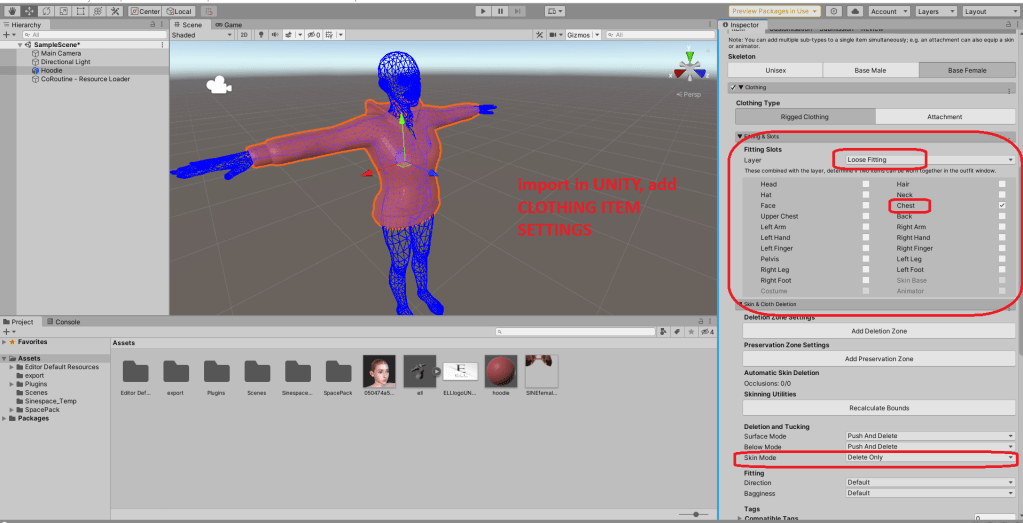
- Find Clothing item setting component, pick base female and again set everything i did, layer loose fitting, so clothing under hoodie will bedeleted/if creator set it layer that can be deleted/. Skin mode in deletion only delete skin around, it does not push it inside, looks better :)Then hit ” Automatic Skin Weightning”. If done right, hit “Prepare” button
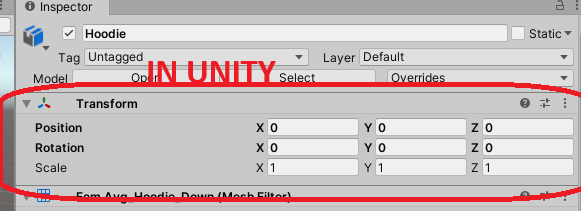
- When done correctly, you can see your mesh nicely prepared for next move, like Virtual good.

 Saphyinworld